PostgreSQL
The pg_fasttransfer extension allows you to run the FastTransfer tool directly from an SQL function, enabling fast data transfer between databases directly from PostgreSQL.
Extension Overview
- Repository: arpe-io/pg_fasttransfer
- License: MIT
- Latest version: v0.16.0
- Platforms: Linux (Debian/Ubuntu) and Windows
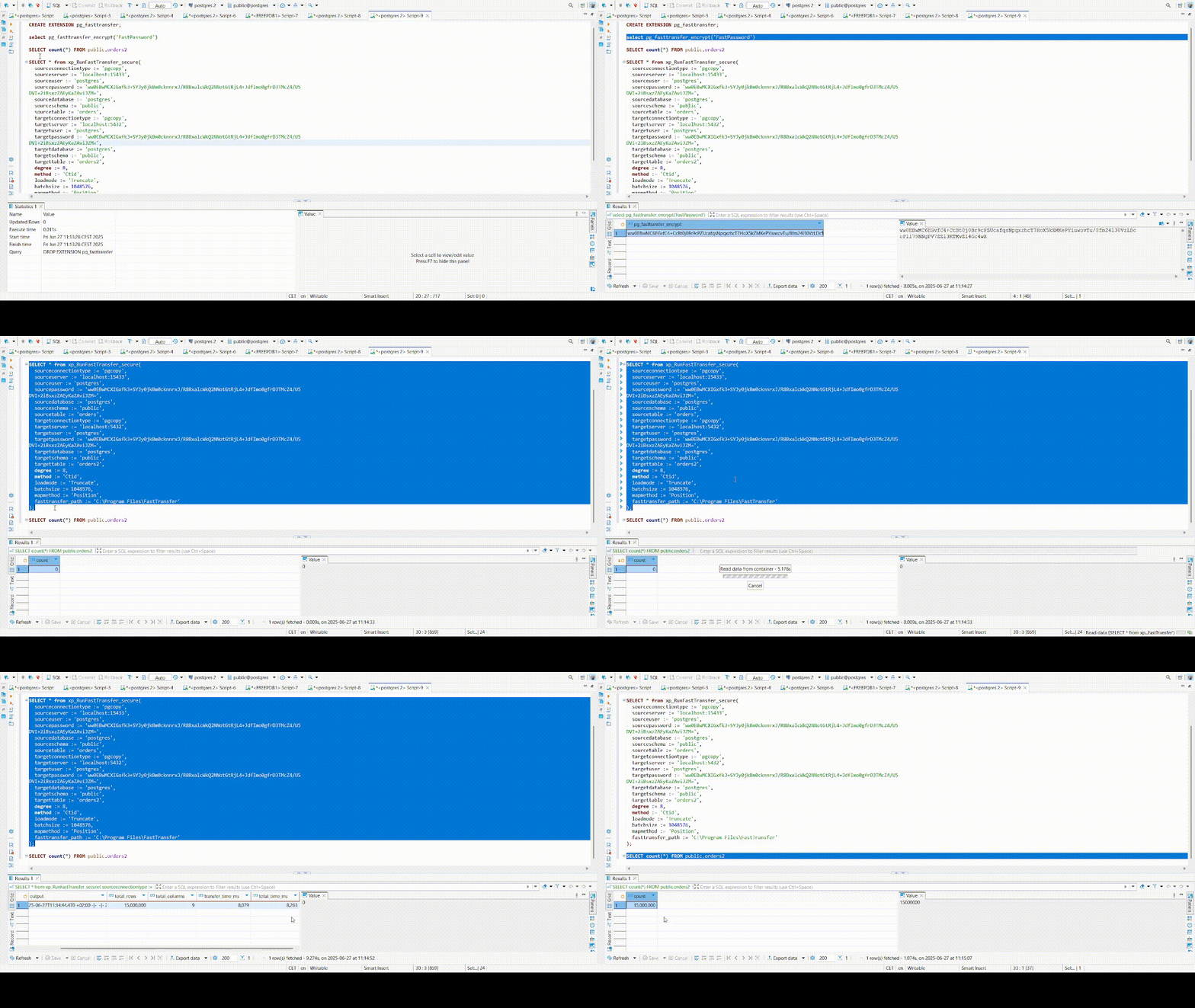
Features
- Native PostgreSQL Integration: Execute FastTransfer commands directly from SQL
- Secure Password Management: Built-in encryption for sensitive credentials
- Detailed Result Return: Get transfer statistics and performance metrics as SQL results
- Cross-Platform: Available for both Linux and Windows environments
- Flexible Configuration: Support for all FastTransfer parameters
Prerequisites
- PostgreSQL 15, 16, 17, or 18
- Sudo/Administrator privileges to install the extension
- Valid FastTransfer license (request a trial license)
- FastTransfer binaries installed on the system
The PostgreSQL server process usually runs under the postgres user account. You must ensure that this user has the appropriate permissions to execute the FastTransfer binary and read the license file.
Compatibility
- Windows
- Linux
| PostgreSQL Version | Supported |
|---|---|
| PostgreSQL 18 | |
| PostgreSQL 17 | |
| PostgreSQL 16 | |
| PostgreSQL 15 |
Debian/Ubuntu 22.04 LTS
| PostgreSQL Version | Supported |
|---|---|
| PostgreSQL 18 | |
| PostgreSQL 17 | |
| PostgreSQL 16 | |
| PostgreSQL 15 |
Other distributions or PostgreSQL versions may work but have not been officially tested.
Installation
Download the appropriate release for your PostgreSQL version and operating system from the pg_fasttransfer releases page.
- Linux
- Windows
Automated Installation
The easiest way to install the extension on Linux is by using the install-linux.sh script included in the archive.
-
Extract the contents of the archive into a folder. This folder should contain:
pg_fasttransfer.sopg_fasttransfer.controlpg_fasttransfer--1.0.sqlinstall-linux.sh
-
Make the script executable:
chmod +x install-linux.sh
- Run the script with administrator privileges:
sudo ./install-linux.sh
The script will automatically detect your PostgreSQL installation and copy the files to the correct locations.
Manual Installation
If the automated script fails or you prefer to install the files manually:
- Stop your PostgreSQL service:
sudo systemctl stop postgresql
-
Locate your PostgreSQL installation directory, typically:
/usr/lib/postgresql/<version> -
Copy the files into the appropriate directories:
sudo cp pg_fasttransfer.so /usr/lib/postgresql/<version>/lib/
sudo cp pg_fasttransfer.control pg_fasttransfer--1.0.sql /usr/share/postgresql/<version>/extension/
- Restart your PostgreSQL service:
sudo systemctl start postgresql
Permissions Setup
Ensure the postgres user has proper permissions:
# Grant execute permission on the FastTransfer binary
sudo chmod +x /path/to/FastTransfer
sudo chown postgres:postgres /path/to/FastTransfer
sudo chmod 750 /path/to/FastTransfer

# Grant read permission on the license file
sudo chown postgres:postgres /path/to/license.lic
sudo chmod 640 /path/to/license.lic
Automated Installation
-
Extract the contents of the ZIP file into a folder. This folder should contain:
pg_fasttransfer.dllpg_fasttransfer.controlpg_fasttransfer--1.0.sqlinstall-win.bat
-
Right-click on the
install-win.batfile and select "Run as administrator" -
The script will automatically detect your PostgreSQL installation and copy the files to the correct locations
Manual Installation
If the automated script fails or you prefer to install the files manually:
-
Stop your PostgreSQL service
-
Locate your PostgreSQL installation folder, typically:
C:\Program Files\PostgreSQL\<version>
-
Copy the
pg_fasttransfer.dllfile into thelibfolder -
Copy the
pg_fasttransfer.controlandpg_fasttransfer--1.0.sqlfiles into theshare\extensionfolder -
Restart your PostgreSQL service
Permissions Setup
Make sure that the PostgreSQL service account (by default NT AUTHORITY\NetworkService or postgres) has:
- Execute permission on the
FastTransfer.exebinary - Read permission on the
.licfile
SQL Setup
After the files are in place, you need to set up the extension in your database.
Drop existing extension (if any)
DROP EXTENSION IF EXISTS pg_fasttransfer CASCADE;
Create the extension
CREATE EXTENSION pg_fasttransfer CASCADE;
Functions
pg_fasttransfer_encrypt
This function encrypts a given text string using pgp_sym_encrypt and encodes the result in base64. It is useful for storing sensitive information, such as passwords, in a secure manner within your SQL scripts.
The xp_RunFastTransfer_secure function will automatically decrypt any values passed to its --sourcepassword and --targetpassword arguments.
Syntax:
pg_fasttransfer_encrypt(text_to_encrypt text) RETURNS text
Example:
SELECT pg_fasttransfer_encrypt('MySecurePassword');
-- Returns: A base64-encoded encrypted string, e.g., "PgP...base64encodedstring=="
xp_RunFastTransfer_secure
This is the main function to execute the FastTransfer tool. It takes various parameters to configure the data transfer operation.
Password arguments (sourcepassword, targetpassword) will be automatically decrypted.
Syntax:
xp_RunFastTransfer_secure(
    sourceconnectiontype text DEFAULT NULL,
    sourceconnectstring text DEFAULT NULL,
    sourcedsn text DEFAULT NULL,
    sourceprovider text DEFAULT NULL,
    sourceserver text DEFAULT NULL,
    sourceuser text DEFAULT NULL,
    sourcepassword text DEFAULT NULL,
    sourcetrusted boolean DEFAULT FALSE,
    sourcedatabase text DEFAULT NULL,
    sourceschema text DEFAULT NULL,
    sourcetable text DEFAULT NULL,
    query text DEFAULT NULL,
    fileinput text DEFAULT NULL,
    targetconnectiontype text DEFAULT NULL,
    targetconnectstring text DEFAULT NULL,
    targetserver text DEFAULT NULL,
    targetuser text DEFAULT NULL,
    targetpassword text DEFAULT NULL,
    targettrusted boolean DEFAULT FALSE,
    targetdatabase text DEFAULT NULL,
    targetschema text DEFAULT NULL,
    targettable text DEFAULT NULL,
    degree integer DEFAULT NULL,
    method text DEFAULT NULL,
    distributekeycolumn text DEFAULT NULL,
    datadrivenquery text DEFAULT NULL,
    loadmode text DEFAULT NULL,
    batchsize integer DEFAULT NULL,
    useworktables boolean DEFAULT FALSE,
    runid text DEFAULT NULL,
    settingsfile text DEFAULT NULL,
    mapmethod text DEFAULT NULL,
    license text DEFAULT NULL,
    loglevel text DEFAULT NULL,
    nobanner boolean DEFAULT NULL,
    fasttransfer_path text DEFAULT NULL,
    debug boolean DEFAULT FALSE
) RETURNS TABLE (
    exit_code integer,
    output text,
    error_message text,
    total_rows bigint,
    total_columns integer,
    transfer_time_ms bigint,
    total_time_ms bigint
)
Usage Examples
Linux Example - PostgreSQL to SQL Server
Transfer data from PostgreSQL to SQL Server using the extension:
SELECT * FROM xp_RunFastTransfer_secure(
    targetconnectiontype := 'msbulk',
    sourceconnectiontype := 'pgsql',
    sourceserver := 'localhost:5432',
    sourceuser := 'postgres',
    sourcepassword := pg_fasttransfer_encrypt('MyActualPassword'),
    sourcedatabase := 'tpch',
    sourceschema := 'tpch_1',
    sourcetable := 'orders',
    targetserver := 'localhost,1433',
    targetuser := 'migadmin',
    targetpassword := pg_fasttransfer_encrypt('AnotherSecurePassword'),
    targetdatabase := 'target_db',
    targetschema := 'tpch_1',
    targettable := 'orders',
    loadmode := 'Truncate',
    license := '/tmp/FastTransfer_linux-x64_v0.15.0/FastTransfer.lic',
    loglevel := 'information',
    nobanner := false,
    fasttransfer_path := '/tmp/FastTransfer_linux-x64_v0.15.0',
    debug := true
);
Windows Example - SQL Server to PostgreSQL
Transfer data from SQL Server to PostgreSQL:
SELECT * FROM xp_RunFastTransfer_secure(
    sourceconnectiontype := 'mssql',
    sourceserver := 'localhost',
    sourcepassword := pg_fasttransfer_encrypt('MyWindowsPassword'),
    sourceuser := 'FastLogin',
    sourcedatabase := 'tpch10',
    sourceschema := 'dbo',
    sourcetable := 'orders',
    targetconnectiontype := 'pgcopy',
    targetserver := 'localhost:15433',
    targetuser := 'postgres',
    targetpassword := pg_fasttransfer_encrypt('MyPostgresPassword'),
    targetdatabase := 'postgres',
    targetschema := 'public',
    targettable := 'orders',
    method := 'Ntile',
    degree := 12,
    distributekeycolumn := 'o_orderkey',
    loadmode := 'Truncate',
    batchsize := 1048576,
    mapmethod := 'Position',
    loglevel := 'information',
    nobanner := true,
    fasttransfer_path := 'D:\sources\FastTransfer',
    debug := true
);
Function Return Structure
The function returns a table with the following columns:
| Column | Type | Description |
|---|---|---|
exit_code | integer | The exit code of the FastTransfer process |
output | text | The full log output from FastTransfer (if debug is TRUE) |
error_message | text | Only the lines containing ERROR from the output |
total_rows | bigint | The total number of rows transferred |
total_columns | integer | The total number of columns transferred |
transfer_time_ms | bigint | Transfer time in milliseconds |
total_time_ms | bigint | Total execution time in milliseconds |
Debug Parameter
The debug parameter is a boolean flag that controls whether the full FastTransfer output is returned in the output column:
- When
debug := true,outputcontains the entire log from FastTransfer - When
debug := false(default),outputis an empty string, buterror_messagewill still contain any error lines